One More Thing I (Don’t) Want to BuyPoint of Review
My thoughts on Apple’s Magic Keyboard with Touch ID and numeric keypad
· UpdatedThe Apple Magic Keyboard is an outrageously expensive wireless Mac keyboard with just one redeeming feature.
When I joined NOS’s Digital department in 2019, they issued me with a 2018 MacBook Pro. That’s one of the models with the butterfly keyboard that was not only extremely prone to defects, but also lacked physical Escape and function keys, and featured the most Temu-looking power button I have ever seen on an Apple product.
Fortunately, my team also ordered me a Matias Aluminum Keyboard, which is more or less a premium clone of the Apple Magic Keyboard. Ironically, this keyboard also suffered from similar issues, as some keypresses would occasionally register twice.
I was already happy to have been given the chance to work at NOS and didn’t want to make a fuss. So I said nothing and just used Unshaky in an attempt to “fix” the issue via software.
The Matias keyboard gradually got worse over time though, which became increasingly clear to anyone scrolling through the shared history on our production servers. Last year, I therefore finally had the Matias keyboard replaced with a real Apple Magic Keyboard, which I’ll be reviewing in this blog post.
Noise
A disclaimer upfront: I’m not a keyboard reviewer. I don’t know a lot about keyboards. I have never even used a mechanical keyboard.
I generally care more about not being perceived by other people. That is why, until now, I always preferred silent keyboards, such as the Logitech MK295 over “fancier” keyboards.
Although the Magic Keyboard is nowhere near as loud as a mechanical keyboard, it is still surprisingly noisy, even compared to the keyboard on my MacBook Pro. I’m not sure why, but I suspect its thinness may have something to do with it.
Typing
Setting aside the auditory “experience” the Magic Keyboard provides to those around me, the typing experience itself is somewhat disappointing. Functionally, the Magic Keyboard works fine. Key presses are registered correctly and quickly.
But the keys have little travel, similar to a MacBook keyboard, and they feel a bit “harsher”, if you can put it that way. It’s mildly more comfortable than typing on a touchscreen, but not by much.
This is especially noticeable when I try to play Windows games such as Command & Conquer: Generals Zero Hour and Assassin’s Creed II with the keyboard, which feels a bit awkward.
Overall, it’s not a very nice keyboard to type on. 4/10, would not recommend.
Layout
Where the Magic Keyboard does shine is in its functionality. I ordered the full-size Magic Keyboard, which comes with all the buttons Apple can give you.
Touch ID is particularly handy. I thought I wouldn’t use it much, but in practice it has turned out to be quite useful for things like passkeys. The numeric keypad is also a godsend for anyone who feels like half their job consists of entering one-time authentication codes.
One thing I still find peculiar is that Apple, by default, suggests the Dutch keyboard layout in the Netherlands, even though virtually everyone here is used to a US English or International English layout. In my case, I went with US English, which, when paired with a US International PC keyboard layout in macOS, comes closest to how keyboards work in Windows.
Battery
Being wireless, the Magic Keyboard needs battery power, and this is where it genuinely excels. In practice, the battery lasts long enough (more than a month) that I never have to think about it, even with my very non-European 50+ hour workweeks. When the battery is low, macOS shows a warning.
It can be charged via a USB-C port at the top, where a cable would normally be on wired keyboards. Charging it to full takes surprisingly little time and is also something I don’t really have to think about.
It definitely helps that, unlike Apple’s dogshit Magic Mouse, you can still use the keyboard while it’s charging.
Looks
The Magic Keyboard is very minimalist. From the top, it’s just a metal slab with black plastic keys. I went with the silver version to match the colour of my MacBook Pro.
Aesthetically, I think the Magic Keyboard would blend in very well on a desk that already has other Apple products, such as an iMac or the beautifully designed Magic RSI Mouse.
On its own? It’s kind of meh. It doesn’t look as bad as corporate keyboards, but it’s nowhere near as nice as my colleagues’ mechanical keyboards.
Quality
Underneath that minimalist design, the keyboard is exceedingly well built. Even though it looks rather fragile, it is quite sturdy. If I ever run into a hypothetical situation where I would have to wield a keyboard as a weapon, I would probably choose the Apple Magic Keyboard over the plasticky Logitech MK295 I have at home.
The keyboard’s main weak point is its bottom, which is just one large, smooth plastic surface. It kind of looks as if someone glued a sheet of black cardboard to it. It comes across as a bit cheap…
Price
The main downside of this keyboard is the price.
Apple sells the Magic Keyboard in the Netherlands for a staggering €229. Not as ludicrously expensive as Apple’s €1099 ($1000) monitor stand for its Pro Display XDR, but still almost 40% of the price of a MacBook Neo with education discount, which includes not only a keyboard, but also a screen, a trackpad, and an actual computer to boot.
Bad
There is not much to like about Apple’s Magic Keyboard. Touch ID – which is only available on first-party keyboards – is nice to have in the rare occasion that it actually works. But I don’t think it is even close to being good enough to justify such a high price tag, especially given all of its other faults.
This article appears in
You might also like

Point of Review
A review of the Logitech MK295 silent wireless keyboard and mouse set
Logitech’s MK295 reportedly produces 90% less clicking and typing noise. I haven’t put that claim to test, but it does sound pretty quiet.
One More Thing I (Don’t) Want to Buy
Has Apple lost its mind?
Most will agree that Apple still makes good products – but they are not as innovative as they used to be.
One More Thing I (Don’t) Want to Buy
A long-term review of the M1 MacBook Pro
The 2021 MacBook Pro may not be perfect, but I have (nearly) zero regrets about choosing this machine, which doesn’t happen very often.

Captain’s Blog
Computers for commuters: A brief history of my mobile (and less mobile) computing devices
For reasons that are no longer clear to me, I tried to name each of my computers after a space shuttle (and gave up after 22 years).

One More Thing I (Don’t) Want to Buy
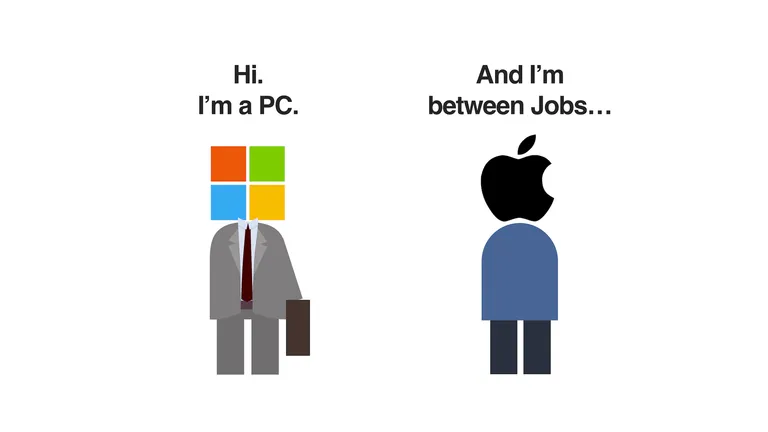
Should your next laptop be a Mac or a PC?
There is no right answer to that question, but having used both for quite some years, I can share what I like and dislike about each.

Well Played
Nothing is final in Final Fantasy VIII
Final Fantasy VIII is a classic JRPG in which everyone (including its developer) makes plenty of questionable decisions.